MCP Integration
The 4C:me Safe AI Platform integrates with the Model Context Protocol (MCP), enabling AI models to access external tools and data sources.
Accessing MCP Settings
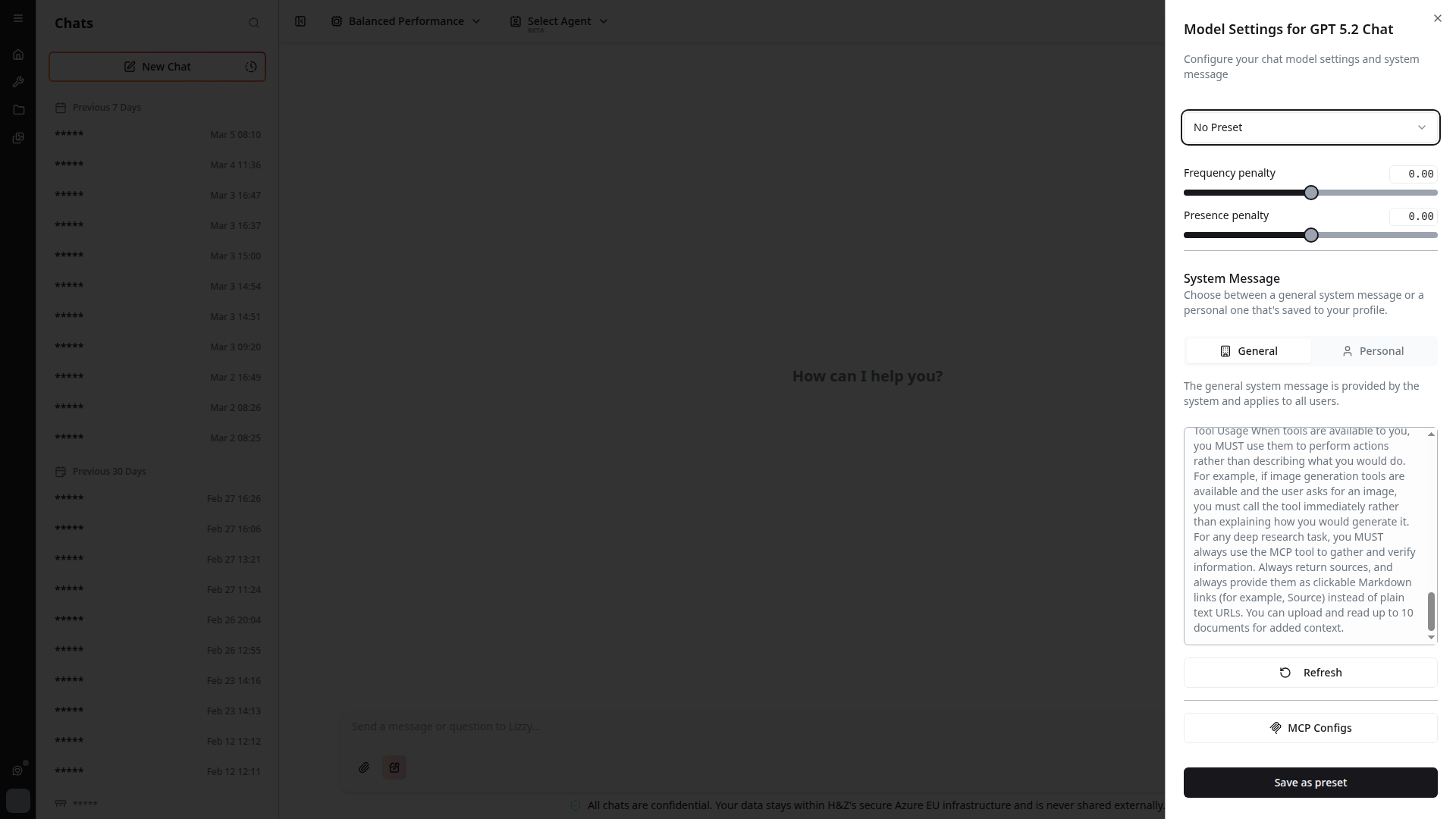
You can access MCP configuration from the chat settings sidebar. Click the settings gear (⚙️) icon in the top-right of 4C:me, then scroll down to find the MCP configuration button.
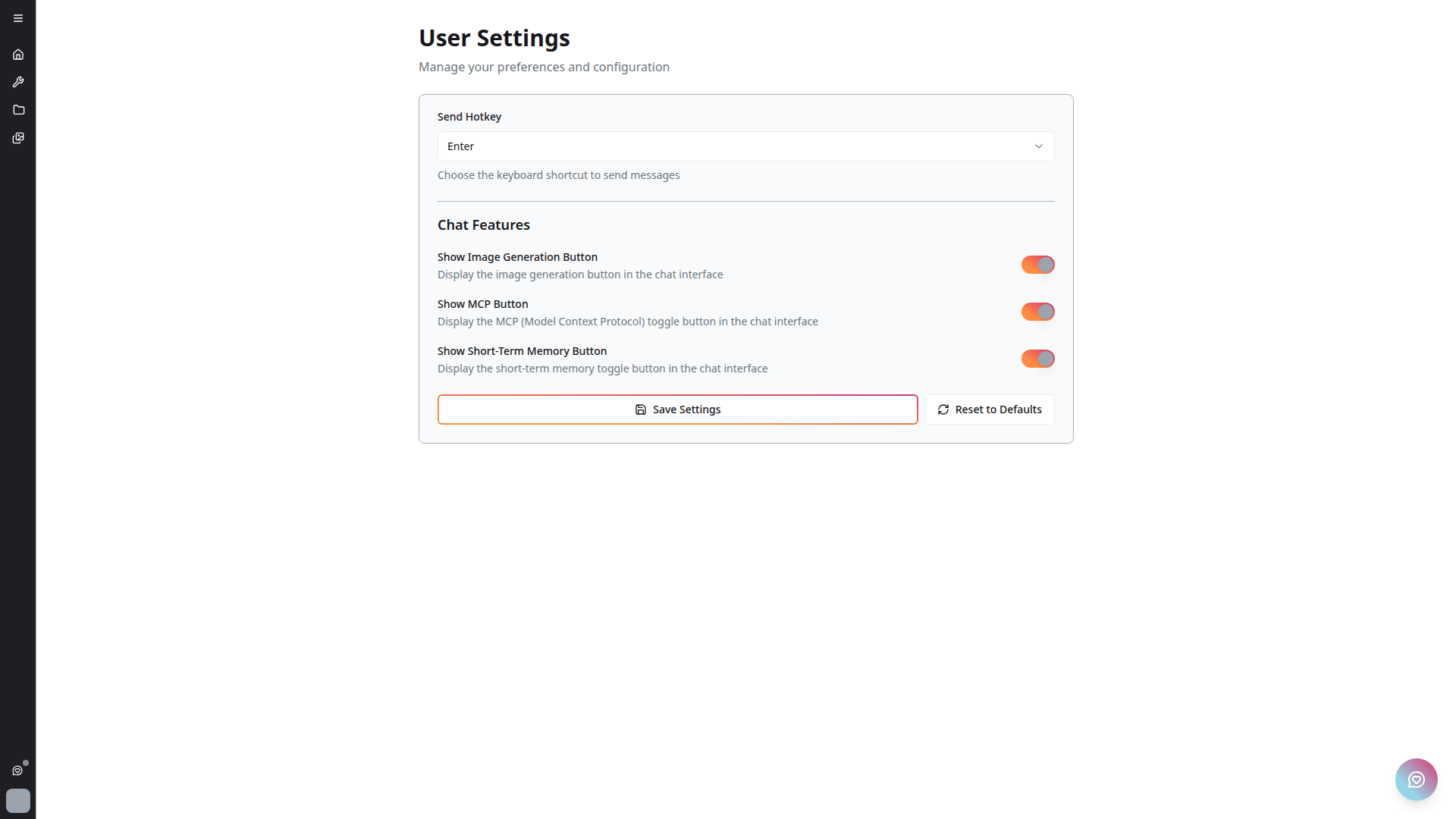
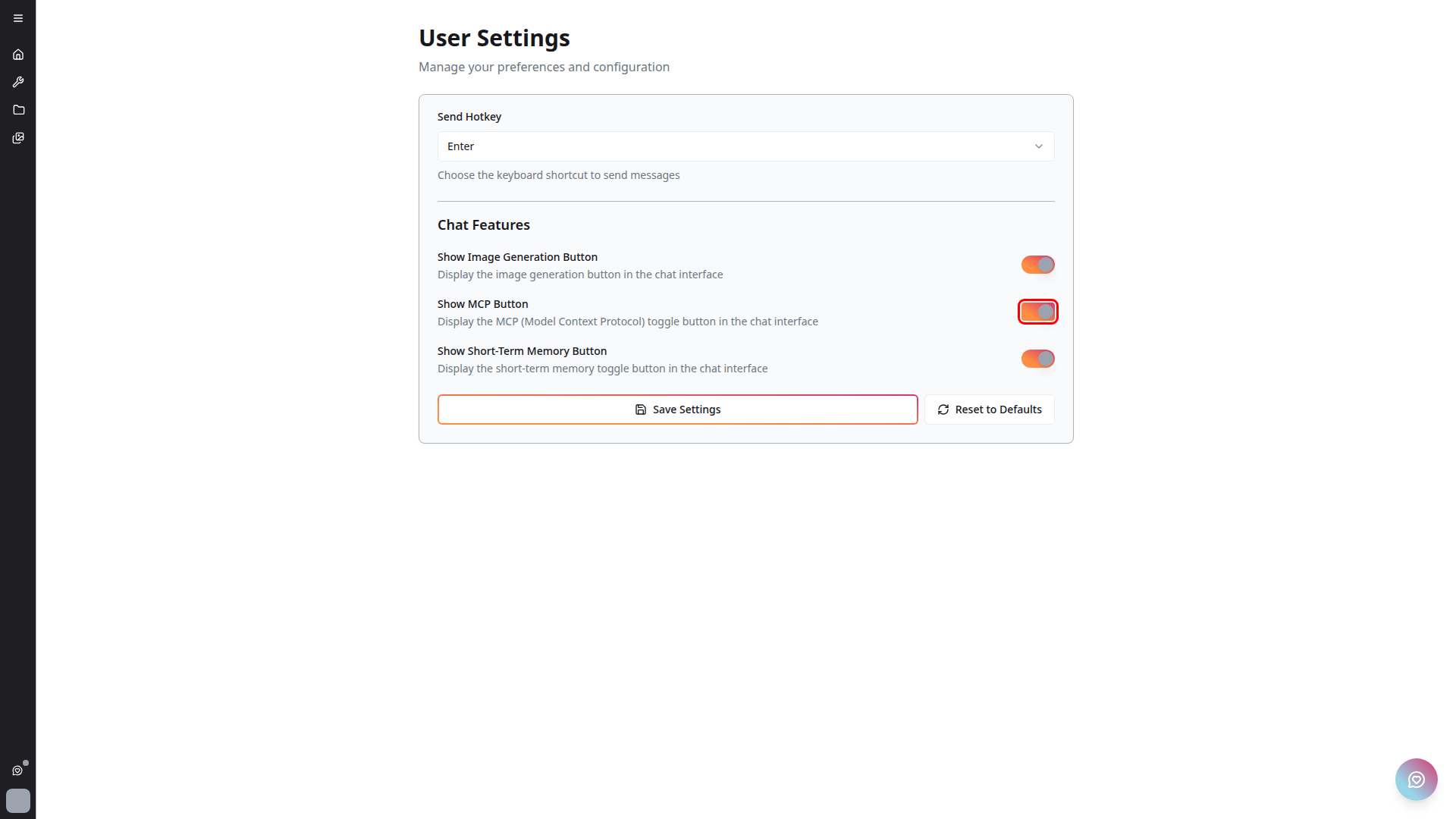
Alternatively, MCP can also be toggled from the platform Settings page:
MCP Configuration Page
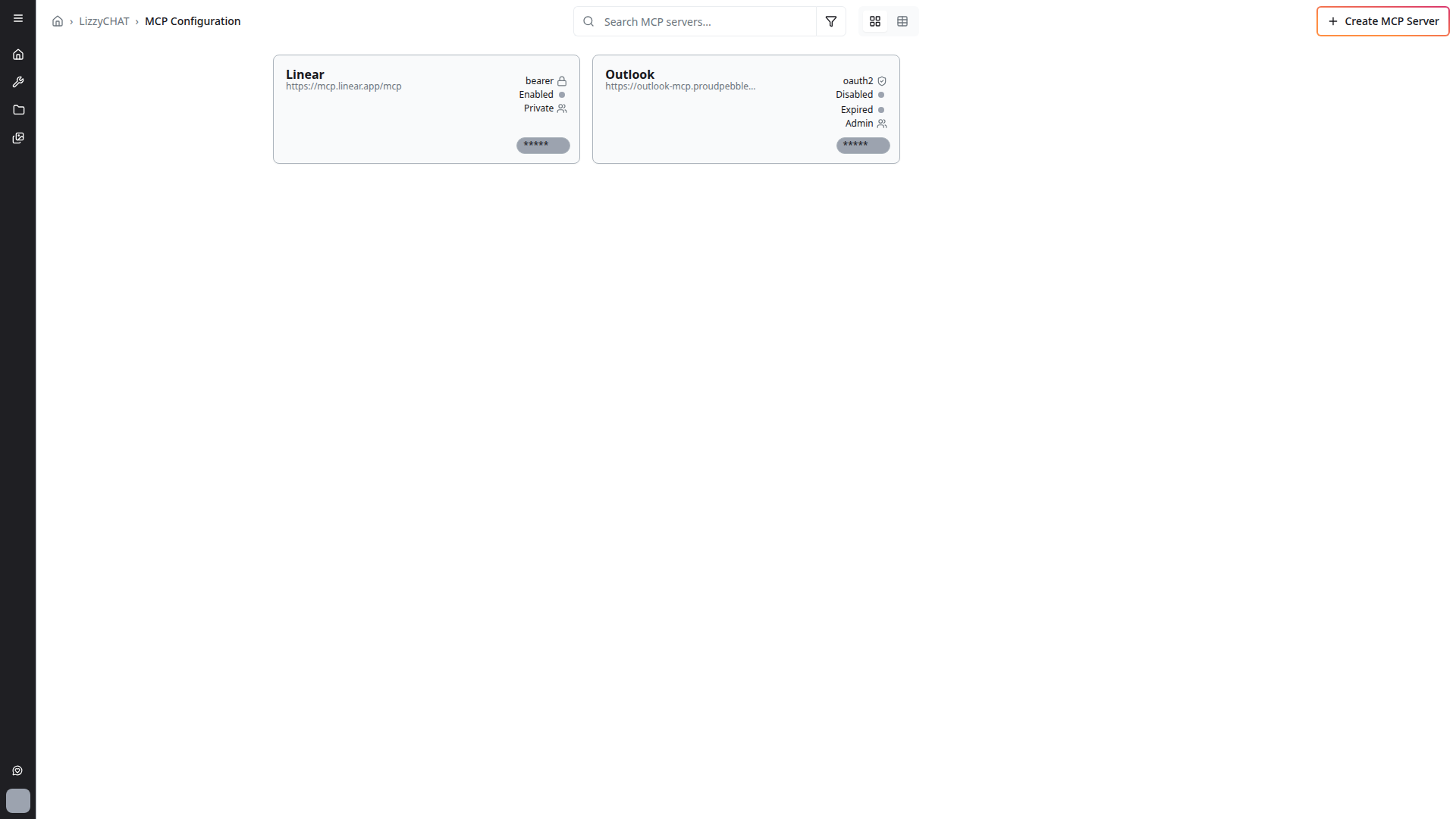
Click the MCP button to open the full MCP configuration page where you can manage your MCP server connections.
Creating an MCP Server
Click + Create MCP Server to add a new MCP server connection. The dialog lets you configure the server URL, authentication type, and visibility settings.
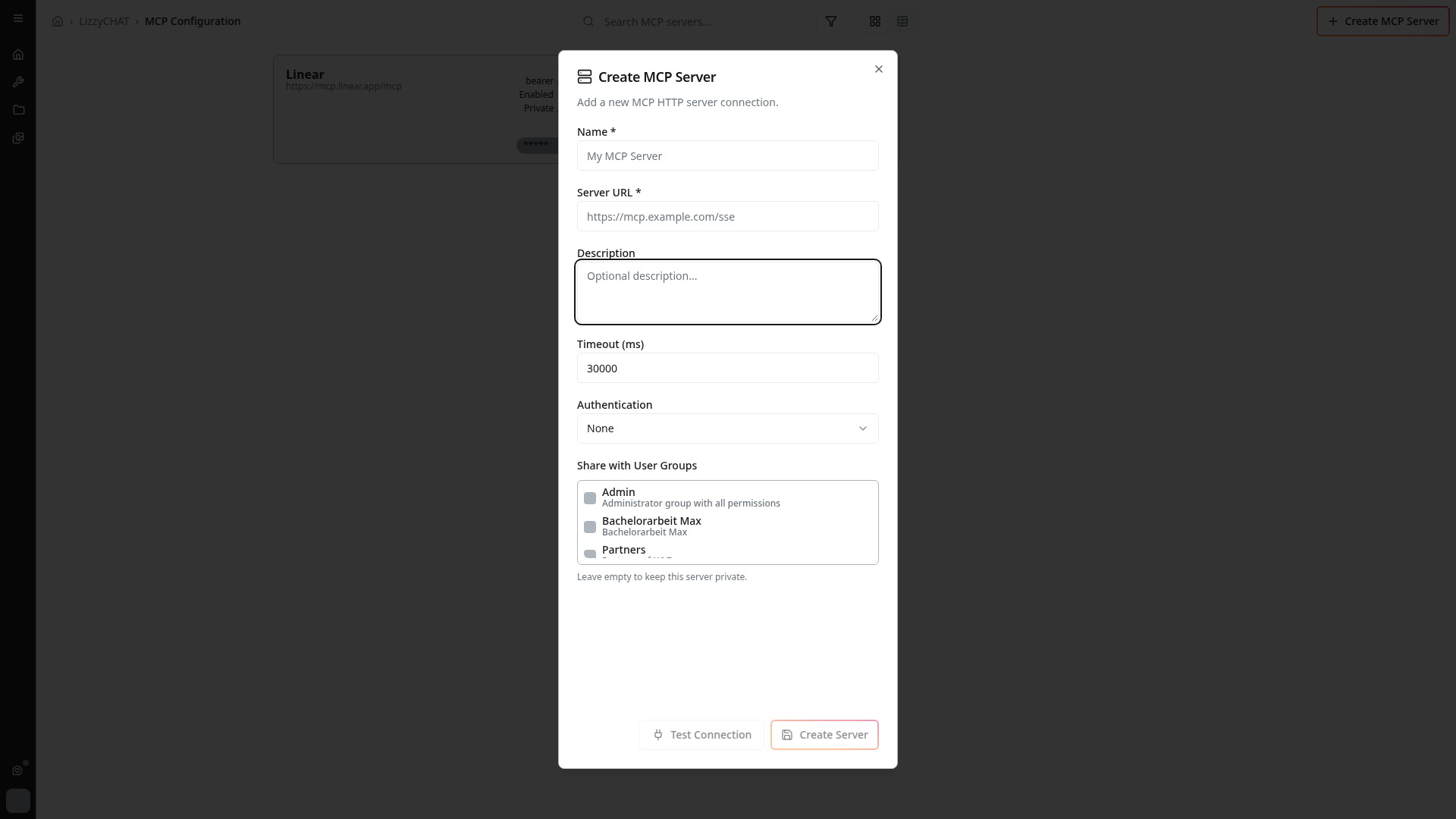
What Is MCP?
The Model Context Protocol is a standard for connecting AI models to external tools, data sources, and services. MCP allows the AI to:
- Call external tools during a conversation
- Access data from connected services
- Perform actions beyond pure text generation
MCP in the Platform
Tool Call Indicator
When the AI invokes an MCP tool during a conversation, a tool call indicator appears in the chat. This shows:
- Which tool is being called
- The status of the tool call
- Results returned by the tool
Multiple MCP Servers
The platform supports integration with multiple MCP servers, allowing connection to various external services and data sources simultaneously.
Improved Streaming
MCP-enabled conversations feature improved response streaming:
- Responses stream in real-time as they are generated
- Fixed issues where responses would not stream when MCP was enabled (resolved in earlier updates)
MCP Handling
The platform has greatly improved MCP handling with recent updates:
- More reliable tool call execution
- Better error handling when MCP tools fail
- Improved integration between MCP tools and the chat interface
Authentication
MCP servers are integrated with the platform's authentication system:
- Secure connections to MCP servers
- Token-based authentication for MCP tool calls
- Proper staging and production monitoring via Sentry
Tips
- MCP tool calls may add slight latency to responses as external tools are invoked
- Watch for the tool call indicator to understand when the AI is using external data
- MCP is particularly useful for tasks that require real-time or external data